
AI Baby Generator - TinyFaces
HEYOSParenting
4.4181.00 Reviews
- Version
- 5.2.2
- Installs
- 100.00K
- Age Rating
- Everyone
Screenshots
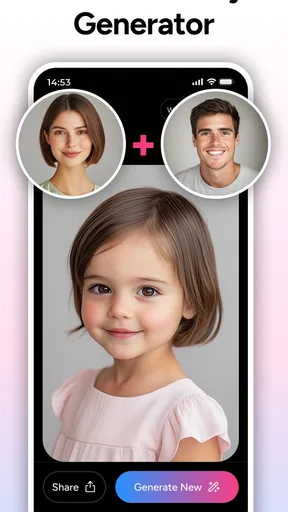
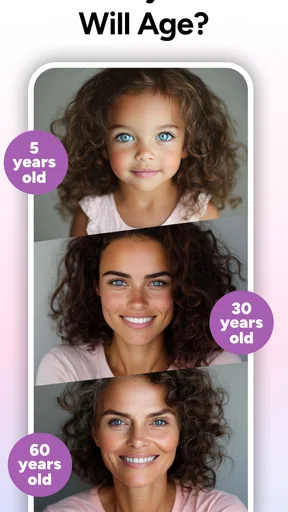
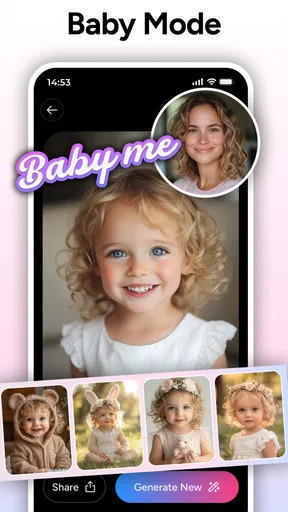
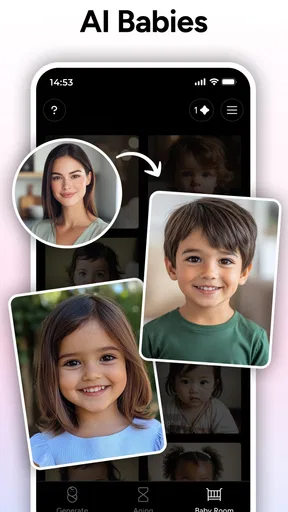
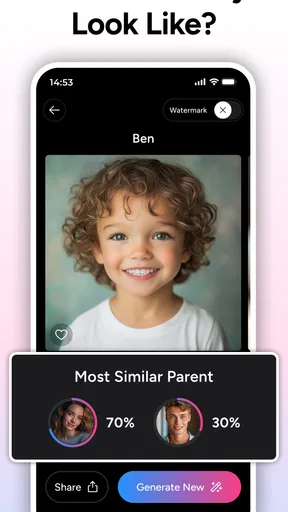
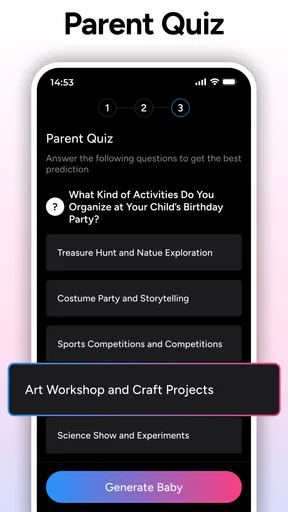
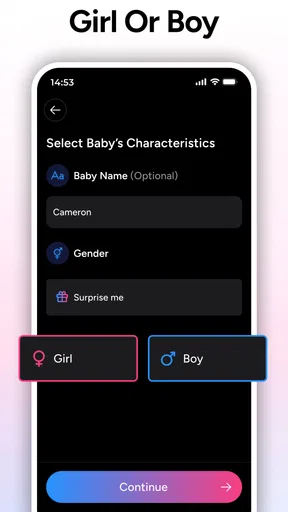
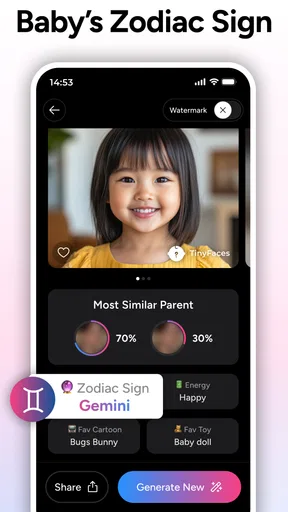
Our Review of AI Baby Generator - TinyFaces
 Analysis by Appyee
I approached AI Baby Generator - TinyFaces as a lighthearted parenting app rather than a serious prediction tool. Its central idea is simple: you provide photos and let the app create an AI-generated impression of what a baby might look like. That makes it the kind of app people open out of curiosity, for a laugh with a partner, or to share a playful result with family. It is not a medical, genetic, or scientifically reliable forecast, and keeping that expectation in mind makes the experience much more enjoyable.
What interested me most was not the novelty alone, but how much the result depends on the way you approach the process. A rushed photo, an unclear face, or an interrupted generation can make the app feel disappointing even when the basic idea is appealing. I found that a little preparation matters more here than it might with an ordinary photo editor. If you treat it as a creative experiment and give it suitable images, TinyFaces is easier to appreciate.
Where the experience usually gets stuck
The first point of friction is deciding which photos to use. People naturally reach for their most recent pictures, but a flattering portrait is not always a useful input for an AI image tool. Sunglasses, heavy shadows, side profiles, hats, busy backgrounds, and faces partly hidden by hair can all make the source image harder to interpret. I had a better experience when the face was visible, reasonably well lit, and facing the camera.
This is also where expectations can go wrong. The phrase “what will my baby look like?” sounds more precise than the underlying experience really is. The generated image should be viewed as an imaginative blend or visual guess, not as a dependable preview of a future child. Facial appearance involves many genetic factors, and a playful app cannot turn two photographs into a genuine prediction. I would explain that clearly before using it with children or anyone who might take the result literally.
Another common sticking point is waiting for the result and assuming that nothing is happening. Image generation can feel less immediate than opening a normal gallery filter, so repeatedly tapping buttons or leaving the screen too quickly is not a useful recovery method. If the app appears to pause, I first check whether the phone still has a stable internet connection and whether the app is visibly responding before trying again.
There is also a social expectation attached to this kind of app. One person may see the result as a joke while another may interpret it as a meaningful resemblance. That difference can lead to awkward conversations, especially around pregnancy, fertility, adoption, or family planning. My practical advice is to use the app only in a setting where everyone understands that the output is entertainment. The best results are shared as a fun image, not as evidence of anything.
Choosing images that give the app a fair chance
I recommend preparing two separate portraits rather than using crowded group photos. A face that occupies a clear part of the frame gives the app a better starting point than a distant snapshot. Neutral expressions are also useful because exaggerated poses can make the generated result feel more like a transformation of the mood than a blend of facial traits.
It is worth keeping the original images untouched. If you crop or edit a picture to make it easier to use, save a copy first. That small habit prevents an accidental overwrite and gives you a clean comparison between the source photos and the generated result. I also avoid judging the app from one attempt. AI-generated images can vary in character, so one odd-looking output does not necessarily represent the whole experience.
A less obvious tip is to agree in advance on what you are trying to get from the app. If the goal is a funny family conversation, an unexpected result may be perfect. If the goal is a polished image to keep, you will probably be more sensitive to facial balance, expression, and image quality. TinyFaces makes more sense when the purpose is clear before you start rather than after the first result appears.
Setup checks before starting a generation
TinyFaces is a free parenting app from HEYOS, with optional in-app purchases ranging from a few dollars to several dozen dollars per item. That combination is important: you can begin without paying, but you should read any purchase screen carefully before confirming anything. I would not hand the phone to a child and let them explore payment prompts unsupervised, even though the app carries an Everyone age rating.
On Android, the app requires Android eight or later, so compatibility is one of the first things to check if installation or updating does not behave as expected. The current version is 5.2.2. If the app is already installed but behaves strangely, I would first confirm that the operating system and the app itself are up to date through the normal device settings. Updating is a sensible first step, but it is not a guarantee that every problem is caused by the app.
Before selecting photos, I check three basic conditions: the phone has enough free space for ordinary app activity, the connection is stable, and the chosen images can be accessed from the device’s photo library. I do not start a generation while moving between weak Wi-Fi and mobile data. A short interruption at the wrong moment can make the process appear broken, when the real issue is simply an unstable connection.
I also recommend closing demanding apps if the phone is older or already struggling. This is not a special requirement of TinyFaces so much as a practical way to reduce background pressure. If the device is hot, nearly full, or showing general slowdown in other apps, I deal with those issues first. An image-generation workflow is a poor test of a phone that is already running out of room or memory.
Photo selection deserves a privacy-minded routine as well. I choose images deliberately instead of browsing through an entire library in a hurry. If you are using pictures of another person, ask whether they are comfortable with that use, particularly before sharing the generated image. The app’s playful purpose does not remove the need to handle personal photos thoughtfully.
Understanding the free starting point
The free price makes TinyFaces easy to try, but “free” should not be confused with unlimited access to every possible option. I treat the initial experience as a test: does the style of result appeal to me, is the workflow comfortable, and am I happy with the way the app presents its paid choices? Only after answering those questions would I consider an optional purchase.
The range of in-app purchase prices is broad enough that I would slow down at every confirmation screen. I would also avoid buying something merely because an early result was disappointing. A payment cannot turn a poor source photo into a realistic portrait, and it cannot make an imaginative output scientifically accurate. Better inputs and realistic expectations are more valuable than spending more.
For families, this is a useful distinction. A parent may be happy to try the free experience once, while a child may want repeated variations. I would decide beforehand whether the app is a one-time curiosity or an activity with a spending limit. That simple boundary prevents a playful experiment from becoming an unwanted purchase.
Recovering when a generation or result goes wrong
When an output looks strange, I do not immediately assume that the app has failed. I go back to the source photos and inspect them as inputs. Are both faces visible? Is one image much darker than the other? Is one person wearing a covering that hides key features? Does the crop leave too little room around the face? Replacing the weakest image is often a more useful experiment than repeating the same attempt.
If the app becomes unresponsive, my recovery sequence is deliberately ordinary. I wait briefly, check the connection, close and reopen the app, and try again with carefully selected images. If that does not help, I restart the phone and verify that the app is current. I avoid repeatedly submitting the same request because that can make it harder to tell whether the problem is temporary, connected to the images, or related to the device.
There is a practical workflow for comparing attempts without creating confusion. I label or remember the two source photos used for each try, then save only the results I genuinely like. If the app produces an image that looks noticeably different, I compare the input pair rather than assuming the system is inconsistent. This approach turns random experimentation into a small, understandable test.
One useful trade-off is between realism and entertainment. A clean, neutral portrait may produce a more believable-looking face, but a funny expression or unusual angle can create a more memorable result. I would use the cleanest images for a serious-looking experiment and more expressive pictures when the point is to make relatives laugh. Mixing those goals can make the app seem less predictable than it really is.
If an image does not save or share as expected, I first check the phone’s general photo and sharing behavior with another image. If other apps also fail to save or share, TinyFaces may not be the cause. If only this workflow has trouble, reopening the app and repeating the process with a fresh generation is a reasonable next step. I would not erase the app immediately, especially before making sure any images I want to keep are safely stored.
When the app is not the cause
It is easy to blame a photo app when the real problem is the phone, the network, or the image library. A full device, restricted background activity, unstable Wi-Fi, or a system-wide sharing problem can all look like an app defect. I test one simple alternative when possible: can I open another image, load another online service, or share a normal photo? That quick comparison often points to the right source of the trouble.
Permissions can also create confusion. If the app cannot see the chosen images, I review its access through the phone’s settings rather than repeatedly tapping the same selection control. The exact wording varies by device, but the principle is the same: the app needs a usable path to the photos you intend to provide. I prefer granting access deliberately and selecting only what is necessary when the operating system offers that choice.
Storage is another overlooked issue. Even when a phone can install the app, it may have little room left for new images or temporary processing. If the camera and other apps are also reporting storage warnings, I free some space before testing TinyFaces again. This is particularly relevant when a family shares one device and the photo library has grown for years.
Finally, I would not interpret every unusual face as a technical failure. AI image tools can produce results that are visually imperfect, and the app’s purpose is playful rather than diagnostic. A distorted feature, an odd expression, or a resemblance that feels random may simply be a limitation of the generated image. The right response is usually to try better inputs once, then decide whether the style is acceptable to you.
How it compares with ordinary parenting and photo alternatives
Compared with a standard photo editor, TinyFaces offers a much narrower but more distinctive experience. A conventional editor gives you control over cropping, lighting, filters, and retouching. You can usually predict what those tools will do. TinyFaces is more surprising because it creates an imagined baby face instead of simply improving an existing photograph. That makes it better for novelty, but worse when you need precise control.
Compared with a family photo album or a normal collage app, it is also less useful for preserving real memories. A collage can combine ultrasound pictures, family portraits, or baby milestones in a meaningful way. TinyFaces creates a hypothetical image, so it belongs more to the category of conversation starters than keepsake tools. I would choose a collage for documenting family life and TinyFaces for a short, playful experiment.
It is also different from professional genetic or medical services, which are designed to answer entirely different questions. TinyFaces should never be used to make health decisions, estimate inherited conditions, or settle arguments about biological resemblance. If someone wants medically relevant information, the appropriate alternative is a qualified healthcare professional or a legitimate clinical service, not an entertainment app.
For couples who want a polished portrait, a general AI art tool may offer more control over style, setting, and mood. The trade-off is that those tools may require more prompting and experimentation. TinyFaces is appealing precisely because its concept is focused and easy to understand. I would pick it when I want a quick, family-friendly result without designing an elaborate scene.
Who will enjoy it, and who should skip it
I think the app suits adults who enjoy playful image experiments, couples curious about a humorous resemblance, and families looking for a conversation piece. It can also work well at a casual gathering where everyone understands that the result is fictional and generated for fun. The Everyone rating makes it broadly approachable, but adult supervision around photos and purchases is still sensible.
I would skip it if you are looking for a scientifically meaningful prediction, a guaranteed realistic portrait, or a detailed editing suite. I would also avoid it if unexpected AI results are likely to cause anxiety or arguments in your household. The app cannot resolve sensitive questions about parentage, genetics, or future appearance, and using it for those purposes puts too much weight on a playful output.
People with limited internet access may find the experience inconvenient if generation depends on a reliable connection. Likewise, anyone using an older or crowded phone should be prepared for more friction than they would encounter with a simple offline filter. In those situations, a basic photo editor or collage app is likely to be the more dependable choice.
My practical verdict after using it
AI Baby Generator - TinyFaces succeeds when I treat it as a small social activity rather than a prediction engine. The focused concept is easy to grasp, the free entry point lowers the barrier to trying it, and the result can be genuinely amusing when the source photos are clear and everyone involved has the right expectations. Its strongest quality is not accuracy; it is the way a generated face can give people something to discuss.
The friction is equally clear. Photo quality matters, generation may be sensitive to connection and device conditions, and unusual results are part of the experience rather than an exception to it. The optional purchases also deserve attention because the price range is substantial enough to make careless tapping a bad idea. I would test the free experience first and spend only if the app’s style already works for me.
With a 4.4 average from around 5.9 thousand ratings and over 100 thousand installs, it has clearly attracted a sizeable audience for this kind of playful parenting app. Those figures suggest that the concept resonates, but they do not change my main advice: judge it by whether you enjoy the experiment, not by whether the generated child looks like a real forecast.
HEYOS keeps the idea focused, and the current 5.2.2 release makes it a straightforward app to try on a compatible Android phone. I would recommend it to a friend who wants a quick laugh with a partner or relatives, provided they are comfortable sharing the chosen photos and understand the result’s limits. For dependable editing, meaningful family records, or health-related answers, I would choose a different tool. For a harmless “what if?” moment, TinyFaces is worth trying with patience, good portraits, and a clear sense of humor.
Verdict
Strengths of AI Baby Generator - TinyFaces
- Creates playful baby-face predictions from uploaded photos.
- Simple interface makes it easy to generate results quickly.
- Offers entertaining results suitable for sharing with friends.
- Supports multiple photo combinations for varied predictions.
- Useful for casual fun without requiring photo-editing skills.
Limitations of AI Baby Generator - TinyFaces
- Results are imaginative and should not be treated as real predictions.
- Output quality depends heavily on clear, well-lit source photos.
- Some features may require a subscription or in-app purchase.
- Photo uploads may raise privacy concerns for cautious users.
- Generated faces can sometimes look repetitive or unrealistic.
Other Releases by HEYOS
View All
Lens AI & Reverse Image Search
Productivity4.3
Similar Picks in This Category
View All
Family Space
Motorola Mobility LLC.3.9

شرطة الأطفال - مكالمة وهمية
Oub Apps4.1

Findmykids: Parental Control
LETEM LTD4.6

Pregnancy + | Tracker App
Philips Electronics UK Limited4.8

Policía de niños - para padres
Kids police4.7

Pregnancy App
Amila4.9
Frequently Asked Questions
What is AI Baby Generator - TinyFaces?
AI Baby Generator - TinyFaces is an entertainment app that uses artificial intelligence to create baby-face predictions or stylized baby portraits from uploaded photos. It is designed for curiosity and fun rather than scientific accuracy. The generated results can vary considerably depending on image quality, facial visibility, and the app’s available features, so they should be viewed as creative estimates, not reliable predictions of a future child’s appearance.
How does AI Baby Generator - TinyFaces create images?
The app generally analyzes facial features in photos selected by the user and combines them through an AI-powered image-generation process. For the best results, use clear, front-facing images with good lighting and minimal obstruction from sunglasses, hats, filters, or heavy makeup. Results may look different each time, and the final image can be artistic or approximate rather than a realistic genetic forecast.
Is AI Baby Generator - TinyFaces free to use?
Availability of features may depend on the app’s current pricing model. Some functions can be offered for free, while advanced generations, higher-resolution downloads, unlimited use, or an ad-free experience may require in-app purchases or a subscription. Before confirming payment, check the store listing and the in-app purchase screen carefully, including trial terms, renewal conditions, and cancellation instructions.
Are my uploaded photos safe and private?
Before uploading personal photos, review TinyFaces’ privacy policy and the permissions requested by the app. AI image services may process photos on remote servers, and handling practices can differ depending on the platform and feature used. Avoid uploading images of other people without permission, and check whether the app explains how long images are stored, whether they are used to improve services, and how deletion requests work.
Can the app accurately predict what a future baby will look like?
No. AI Baby Generator - TinyFaces should not be treated as a medical, genetic, or scientifically accurate prediction tool. A child’s appearance depends on many genetic and developmental factors that a photo-based app cannot calculate precisely. The generated portraits are intended for entertainment and may exaggerate, simplify, or invent facial characteristics, so enjoy the results as playful visualizations rather than dependable forecasts.
